Pokémon Champions connects to Pokémon HOME. You can bring in Pokémon from your other games, from Pokémon Legends: Z-A to Pokémon GO, as long as they are among the Pokémon available in Champions.
What You Need to Know
- Only Pokémon that are in Pokémon Champions can be sent there from HOME.
- Pokémon obtained in Champions (recruited or received as gifts) cannot be sent to HOME.
- A Pokémon that knows moves unavailable in Champions must learn others through training.
- Training done in Champions is not kept in HOME. If the Pokémon later comes back to Champions, it returns to the state it was in before leaving.
- If a Pokémon changes form between two stays, its training in Champions is canceled.
Why Transfer Instead of Recruit
VP
Economical
A transferred Pokémon does not cost a permanent recruitment. All that is left is to train it if needed.
Choice
Precise
You choose exactly the Pokémon you want: Shiny, Nature, ability, Poké Ball and appearance.
Collection
Exclusive forms
Some forms can only be obtained by transferring them from HOME: Eternal Floette, Vivillon patterns, Furfrou trims.
Free Mega Stones
Sending certain Pokémon obtained in Pokémon Legends: Z-A unlocks their Mega Stone in Champions for free: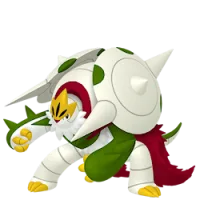 Mega ChesnaughtGrassFighting
Chesnaughtite given for a Chesnaught from Z-A
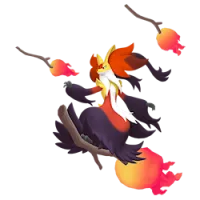 Mega DelphoxFirePsychic
Delphoxite given for a Delphox from Z-A
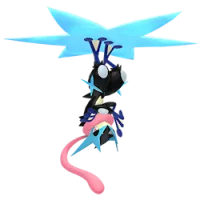 Mega GreninjaWaterDark
Greninjite given for a Greninja from Z-A
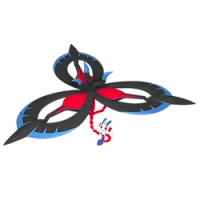 Mega FloetteFairy
Floettite given for an Eternal Floette from Z-A
How to Do It
- Link the same Nintendo Account to Pokémon HOME and to Pokémon Champions.
- Deposit your Pokémon in HOME from your original game.
- Open Pokémon Champions and choose the Pokémon HOME connection option.
- Select the Pokémon you are allowed to send to Champions. Pokémon not available in Champions cannot be selected.