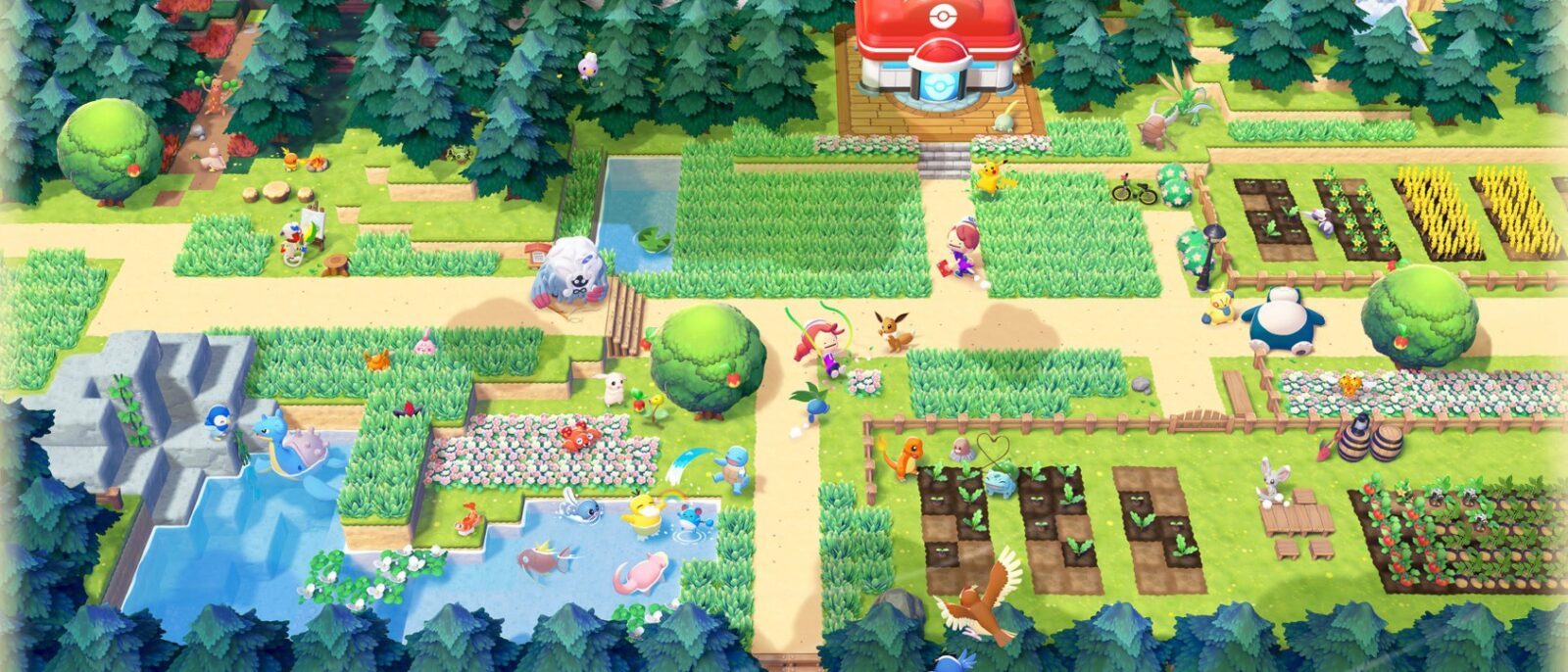
Released on March 5, 2026 on Nintendo Switch 2, Pokémon Pokopia changes things up: there are no battles or Gyms here, just a life and building sim in which you play as  Ditto to bring a desolate world back to life. This guide covers the basics of the game (premise, gameplay loop, first hours, essential menus) and then gives 10 practical tips to get off to a good start without spreading yourself too thin.
Contents
- The premise
- The gameplay loop
- The first hours, step by step
- Key menus and features
- 10 tips to get started
- Key takeaways
The premise
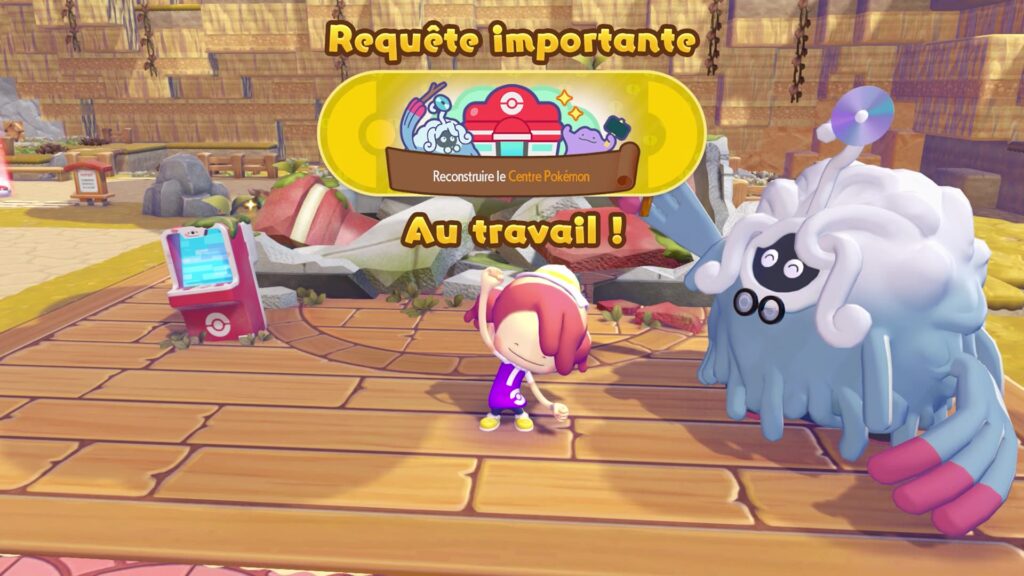
Pokémon Pokopia is co-developed by The Pokémon Company, GAME FREAK and KOEI TECMO. The story begins in a world that has withered away: humans have vanished and Pokémon are scarce. After a long sleep, a Ditto wakes up and learns the truth from the only resident still around, a  Tangrowth venerable and very learned, whom everyone calls Professor Tangrowth. Together, they decide to restore these ravaged lands. There is no rush: the game is played at your own pace, with no pressure.
Ditto has a dual role. On the one hand, it can transform: it has taken on the appearance of its former Trainer and can copy objects, but above all it can learn moves from other Pokémon (watering, growing grass, cutting wood, smashing rocks…). On the other hand, it is the community’s builder: it gathers, crafts, builds and decorates. As for Professor Tangrowth, he acts as your guide: he puts you on the right track, switches on the PC in the ruined Pokémon Center and kicks off the major Requests.

Several colorful characters will cross your path. Here are the standout figures presented on the official website:
| Character | Who is it? |
|---|---|
| Professor Tangrowth | The game’s guide, recognizable by his broken glasses and the old CD sitting on his head (Tangrowth). |
| Peakychu | A Pikachu that looks quite pale, with fur that glows faintly in the dark. |
| Mosslax | A Snorlax with moss growing on it and a flower on top of its head. |
| Smearguru | A Smeargle passionate about painting, who will help you add color to your creations. |
| DJ Rotom | A Rotom living in a mini hi-fi system: give it CDs and it plays the music. |
| Chef Dente | A Greedent who is a cook and never without his utensils: he is the one who introduces you to recipes. |
The gameplay loop
All of Pokopia rests on a virtuous circle: you help Pokémon, nature recovers, new residents arrive, they teach you things and let you go further. Here are the six cogs to know.
Requests: the common thread
The Pokémon you meet often need a helping hand. Their Requests (watering dry grass, finding them a bed, giving them a berry, exploring a cave…) earn a variety of rewards: moves, crafting methods, access to the shop or to new areas. Important Requests move the story of each region forward, and yellow speech bubbles often signal that something important is going on. Every Pokémon is also a useful companion: its specialty (cutting wood, lighting a fire, building…) will come in handy on your building sites.
Restoring the environment and the Environment Level
Each region has its own Environment Level, which measures how far the restoration has progressed. It rises when the Pokémon in the area are comfortable, but also when you complete certain Requests or add buildings. At each level, new challenges appear on the PC and new items arrive at the shop. Conversely, removing Pokémon from an area can bring the level back down (and lock any items you have not bought again).
Each Pokémon’s Comfy Level has five tiers, from “passable” to “exceptional”. It depends on where it lives (without a habitat or a house, it does not count), the type of environment it likes (warm, cool, bright, dark, humid or dry), furniture, nearby food and an easy path to the Pokémon Center. Simply ask it what it wants: it will often tell you.
Habitats that attract Pokémon
A habitat is a small natural setting made of elements placed side by side (for example four tufts of tall grass, or grass next to a rock). After a while, a Pokémon moves in: interact with the element that is moving to make it come out. There are 209 habitats in total, each of which can shelter several species; some Pokémon only appear in the rain, at night or in a dark spot. You discover habitat recipes thanks to shining lights on the ground or hints sold at the shop, and you can look them up again in the Habitat Dex.
Pokémon that teach Ditto moves
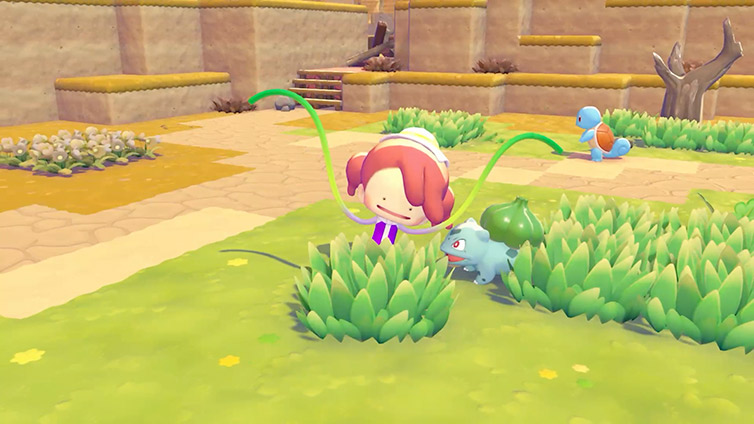
Ditto cannot learn on its own: it is the Pokémon drawn in by the restoration that teach it their moves, usually once their Request is complete. Each use consumes PP (the energy gauge at the bottom right of the screen); if you run out, just eat to restore them. Here are the first moves:
| Move | Effect | Taught by |
|---|---|---|
| Water Gun | Waters a cross-shaped area and brings dry grass back to life | Squirtle |
| Leafage | Grows green grass | Bulbasaur |
| Cut | Destroys plants and wood | Scyther |
| Rock Smash | Breaks crumbly rocks and certain dirt blocks | Hitmonchan |
| Till | Tills the soil so you can plant vegetables | Drilbur |
| Rollout | Roll at high speed and destroy obstacles | Graveler |
| Mimic | Take on the appearance of a nearby object | Zorua |
| Magnet Rise | Levitate, rising and descending with the L and R buttons | Magnemite |
More moves will come later (Strength, Surf, gliding, and Dive, added by the free update of August 2026). Good to know: eating certain cooked dishes temporarily boosts a move. A salad boosts Leafage (grass on hard surfaces, moss), a bread boosts Cut, a Precooked Burger boosts Rock Smash and a soup boosts Water Gun.
Crafting
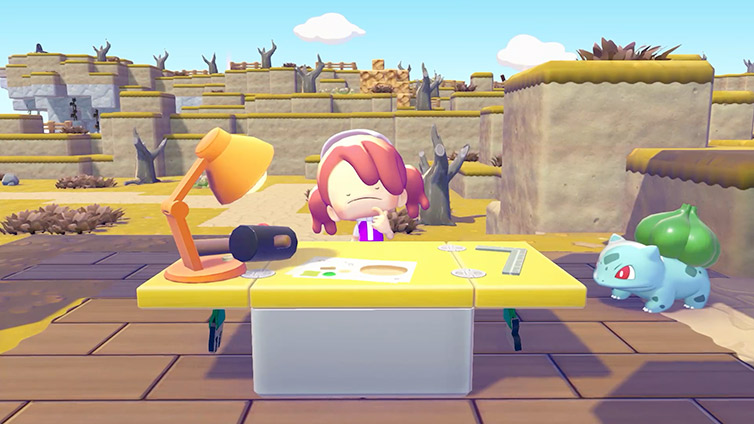
To craft an item, you need three things: a workbench (you are given your first one after meeting Bulbasaur), the item’s method (its “recipe”, obtained at the shop, as a Pokédex reward or through exploration) and the materials. Crafting is automatic and you can make several copies at once. Tip: storage chests placed right next to the workbench are used directly for crafting.
Building
There are two ways to build:
- Kits (bought at the shop, found or received as gifts): place the building site on flat, clear ground, drop the requested materials on the sign, then summon the Pokémon needed (some sites require a specific specialty). Construction then takes place in real time, from a few minutes to a day depending on the building.
- Freeform building: an area of at least 4 blocks, surrounded by blocks and closed off by a door counts as a house. No roof needed.
For a building to be livable, it needs at least 3 different pieces of furniture inside; up to 4 Pokémon can then live there (fewer in shelters and huts). Residents in a proper house gain Comfy Level faster than in a simple habitat. And if Ditto moves in too, it can teleport home at any time.
The first hours, step by step
Here is the general flow of the first region, Withered Wastelands, without detailing every step so as not to spoil the surprise.
- Get acquainted. Once awake, Ditto meets Professor Tangrowth, who sends it off to explore, Pokédex in hand.
- Learn the first two moves. Squirtle teaches Water Gun; by watering the dry grass, you run into Bulbasaur, who teaches you Leafage once its Request is done.
- Create your first habitats. With Leafage, you set up tall grass that attracts Charmander and other Pokémon. You also get your first workbench, a stool, then a campfire.
- Switch on the Pokémon Center PC. The Professor gets the PC running again: the first challenges and the shop become available.
- Improve comfort. A bed for Bulbasaur, a few Requests, and the Environment Level reaches level 2. You then meet Scyther (Cut) and Hitmonchan (Rock Smash).
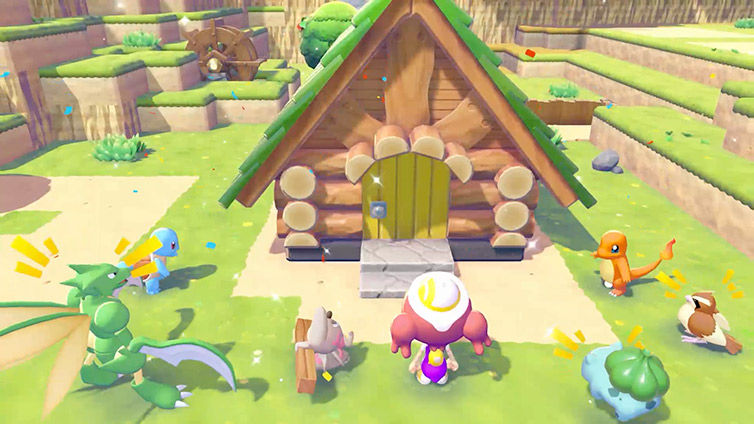
- Build a house. A kit bought at the shop, a Timburr as a worker, three pieces of furniture inside and Ditto’s flag on the roof: you have a home.
- Rebuild the Pokémon Center. From Environment Level 3, the reconstruction kit is on sale at the shop. This is the first big building project, and the one that unlocks all of the Center’s features.
- Push further. In Withered Wastelands, the Request “A Nicer Environment” asks you to reach Environment Level 5; the rest of the adventure then opens up other regions.
The world is split into several regions, each with its own atmosphere and its own Pokémon Center to restore:
| Region | Atmosphere |
|---|---|
| Withered Wastelands | An arid area where it has not rained in a long time: the starting point. |
| Bleak Beach | An area covered in clouds, where daylight no longer shines. |
| Rocky Ridges | An area devastated by a volcanic eruption. |
| Sparkling Skylands | Islands floating in the sky. |
| Palette Town | An area where every trace of humanity has vanished, with great freedom to build. |
| Bubbly Basin | An underwater town added by Part 1 of the Expansion Pass, released on August 5, 2026. |
Key menus and features
The Pokémon Center and its PC
When you arrive in each region, the Pokémon Center is in ruins. Rebuilding it (kit from the PC shop, materials and worker Pokémon) is the big mission of each area, and it unlocks its three features:
- Healing: the machine to the right of the entrance restores your PP, once per day per Pokémon Center.
- Trading: if a Pokémon with the Trade specialty lives near the Center, it sometimes sets up a small item shop there that changes every day.
- The item printer: photograph an object, switch the camera to Reference mode, and reproduce it at the printer in exchange for Pokémetal ingots.
The PC gives access to challenges (including daily challenges from Environment Level 2), the shop, the stamp card and multiplayer options. Challenges and stamps earn Poké Life coins, the shop’s currency, where you can find furniture, seeds, methods, habitat hints and permanent upgrades. A limited-time daily selection changes every day.
Friendship with Pokémon
Friendship is separate from comfort, even though it contributes to it. It grows when you complete a Request, give a gift or agree to play when a Pokémon suggests a little game (quiz, guessing game…): playing always earns friendship, and winning earns a bit more. The stronger the bond, the happier the Pokémon is to see you and the more gifts (found materials) it gives you. At the maximum, it declares itself your best friend, which is noted in its Pokédex entry, and it calls you by your name rather than “Ditto”.
The stamp card
Every Friday, you receive a card that can hold 5 stamps. Your first login of the day at the Pokémon PC earns you a stamp; if the card is full, you can replace one with the day’s stamp. Checking the PC in a friend’s game or on a Cloud Island also gives a stamp. The following Friday, the card is exchanged for Poké Life coins, and rare stamps are worth more.
| Stamp | Rarity | Value |
|---|---|---|
| Unevolved Pokémon | Common | 50 coins |
| Evolved Pokémon | Rare | 100 coins |
| Legendary Pokémon | Legendary | 200 coins |
| Mew | Mythical | 1,000 coins |
Multiplayer, up to 4 players
Pokopia can be played with up to 4 players: you and up to three other people. The emphasis is on building together rather than on story progress. You can visit a friend’s world, invite them to yours (even bringing along a Pokémon from your world), or build together on a Cloud Island. The game supports GameShare, including with a Nintendo Switch 1; a Nintendo Switch Online membership is required for online play. Most multiplayer options unlock with Palette Town.
A few other menus to know
- Pokédex and Habitat Dex: the former lists the Pokémon you have met, the latter the habitats you have discovered, their elements, their appearance conditions and their rarity.
- Return Home (+ menu): an emergency teleport, for example if you are stuck in a hole.
- Dream Islands: after finding Drifloon, who stands to the west of Withered Wastelands, and completing the Request “A Plushie to Find”, you can visit islands rich in materials without damaging your towns.
- Photo mode and reaction wheel: useful for capturing your creations and communicating with other players.
10 tips to get started
Here are the tips to keep in mind to get off to a good start.
- Follow the sparkles. A sparkling spot often signals traces of Pokémon: by interacting, you open the Pokédex and see what it takes to attract the species. Other glimmers reveal a habitat, honey or a rare item to dig up. Also break blocks that give off light: they often hold good surprises.
- Always carry something to eat. Moves consume PP. If the gauge runs out, there is no game over, but you can no longer use moves. Keep Leppa Berries (they grow in abundance near the start), then cooked dishes, which are much more nourishing. The rebuilt Pokémon Center also restores your PP.
- Suck everything up in one go. Rather than picking up items one by one, hold the Y button: everything lying around you is sucked in. It is ideal after knocking berries down with Headbutt or smashing rocks with Rock Smash.
- Buy bag upgrades and PP Ups first. The “storage tips” enlarge your bag (4 upgrades in all) and PP Ups permanently increase your energy. They unlock gradually with the Environment Level: visit the PC shop at each new level and spend your Poké Life coins on these before furniture.
- Store smartly, and put a chest next to the workbench. Sort your chests (materials on one side, decoration on the other) and place one right next to the workbench: the materials it contains are used automatically for crafting. Holding X in the bag or in a chest sorts the contents by itself.
- Keep building habitats, at all hours. The simplest habitats only need grass, flowers or a tree: whenever a spot is free, add one, as it fills up the Pokédex. The game follows the console’s clock, so some species only appear at a specific time (night, rain, morning): launch it at different times of day.
- Build your house quickly, and plant the flag. A building closed off by a door, with at least 3 different pieces of furniture, makes a house. Place Ditto’s flag on it: it becomes your home, and the “Return Home” option in the menu takes you back there from the current region, even if you are stuck in a hole. A house in each region also serves as a travel shortcut.
- Talk to every Pokémon, especially the pensive ones. A Pokémon that seems lost in thought often hides a new Request. Yellow speech bubbles lead to the main story or announce the arrival of a new resident: follow them when you no longer know what to do.
- Stop by the PC every day. One login a day is enough to collect a stamp, check the daily challenges (which pay more) and take a look at the shop’s selection. The Poké Life coins you earn pay for bags, recipes and furniture.
- Keep some honey and use the Pokédex to find a Pokémon. Pokémon like to wander. To find one again, open the Pokédex, select it and press + to start the search. A pot of honey used on a Pokémon’s habitat calls it back right away; used on a house, it calls back all of its residents.
Key takeaways
- Pokopia is played without pressure: explore, tinker and decorate at your own pace, as Nintendo itself reminds players in its own tips.
- The engine of the game is the circle of Requests, habitats, new Pokémon and moves: the more you help, the more you unlock.
- Rebuild each region’s Pokémon Center as soon as possible: it unlocks healing, trading and the printer.
- A chest near the workbench, a house with a flag, one visit to the PC a day: three simple habits that make everything else easier.
Related guides
Find all of our guides in the complete Pokémon Pokopia walkthrough:
- Story walkthrough, area by area
- All of Ditto’s moves
- Habitat Dex: all 209 habitats and their recipes
- All Pokémon specialties
- Legendary and Mythical Pokémon: how to meet them
- Environment Level, Comfy Level and Mosslax
- Friendship, minigames and best moments
- Crafting, materials and building kits
- Cooking and vegetable garden: all recipes
- Lost items, Human Records and treasure maps
- Dream Islands and Cloud Islands
- Bubbly Basin: access, Dive and habitats
- Pumpkaboo’s Halloween event
- Mystery Gift codes and distributions
Sources: Serebii.net (friendship, Pokémon Center, stamp card, Environment Level) ; official Pokémon Pokopia website (explore, create, discover) ; Poképédia ; Pokébip ; Millenium ; Gameblog ; ActuGaming ; official Nintendo tips ; Nintendo Life. Credits: screenshots and artwork © The Pokémon Company / Nintendo / GAME FREAK / KOEI TECMO, source pokopia.pokemon.com. Video: Nintendo France.